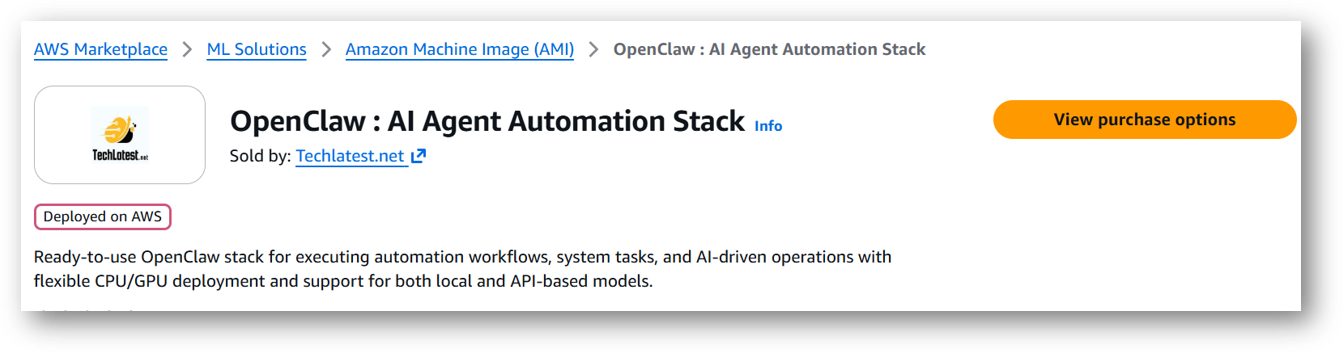
Login with your credentials and follow the instruction.
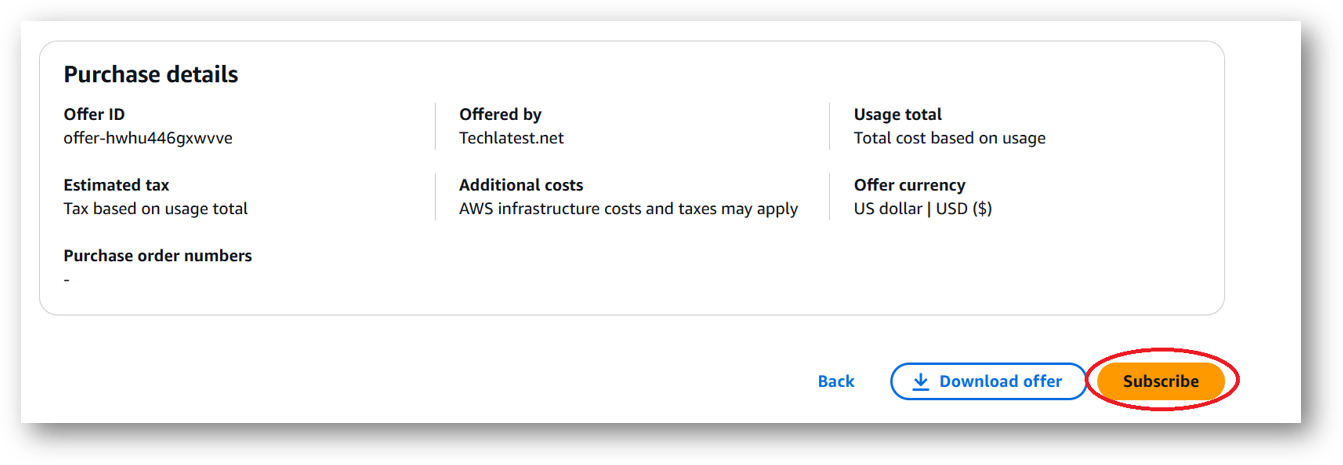
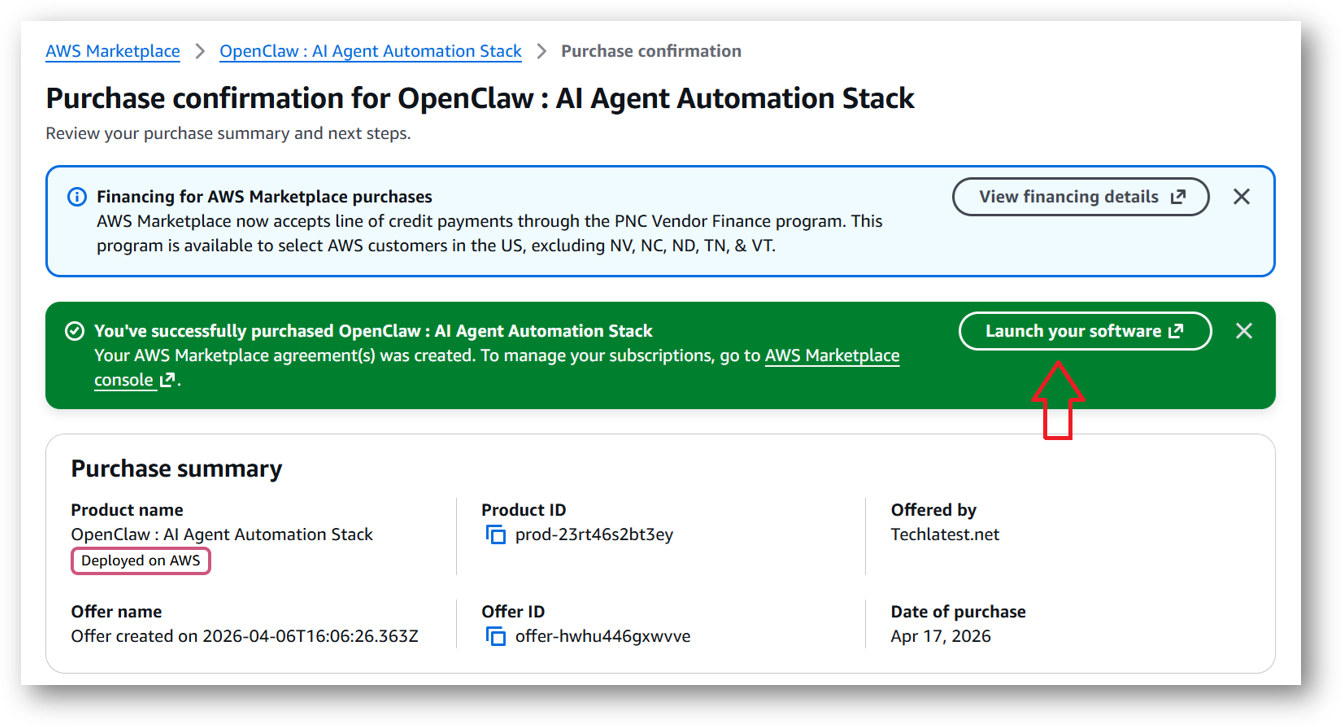
Review the prices and subscribe to the product by clicking on subscribe button located at the bottom of this page. Once you are subscribed to the offer, click on Launch your software button.
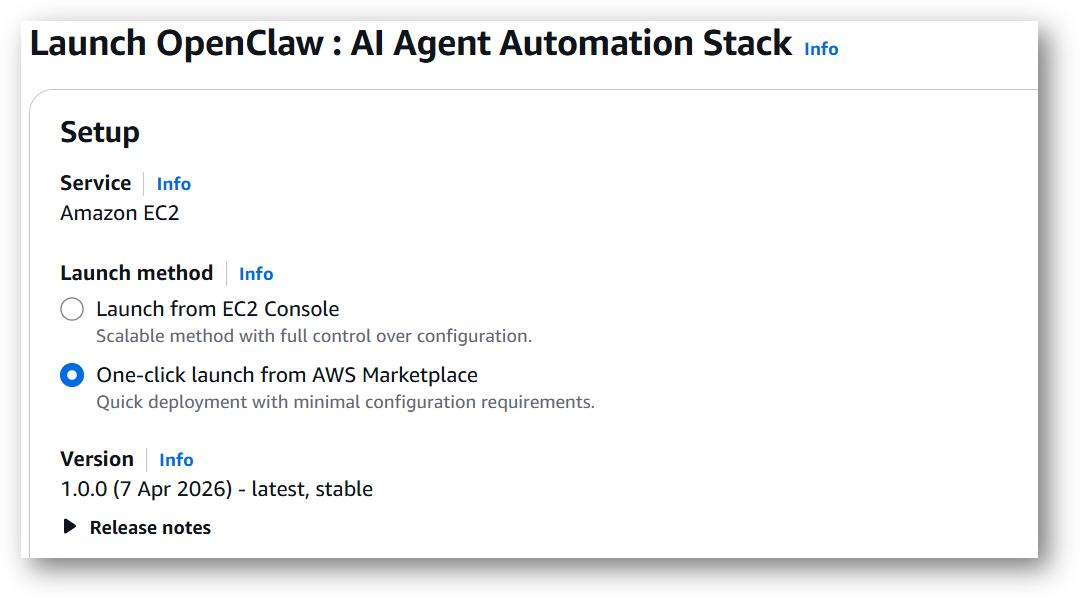
Next page will show you the options to launch the instance, Launch through EC2 and One-click launch from AWS Marketplace. Tick the 2nd option One-click launch from AWS Marketplace.
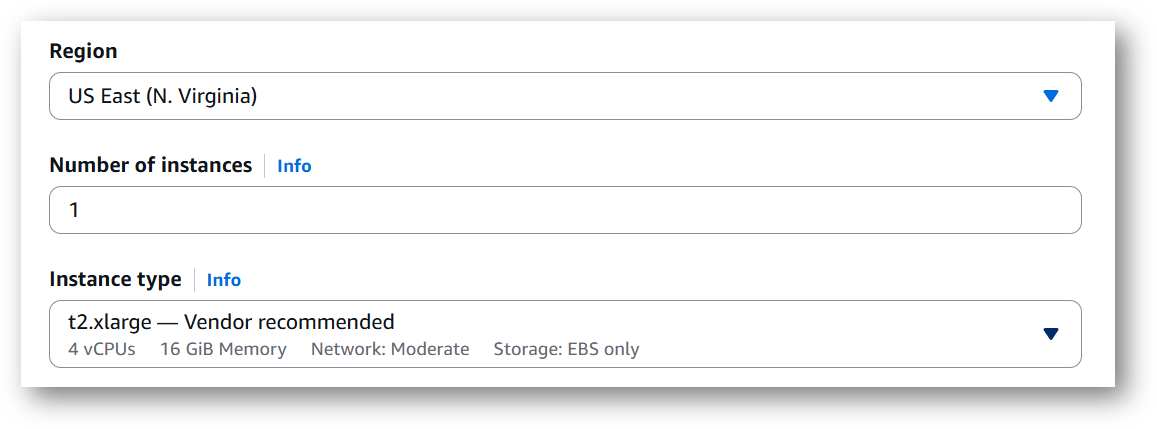
Select a Region where you want to launch the VM(such as US East (N.Virginia))
Optionally change the EC2 instance type. (This defaults to t2.xlarge instance type, 4 vCPUs and 16 GB RAM.)
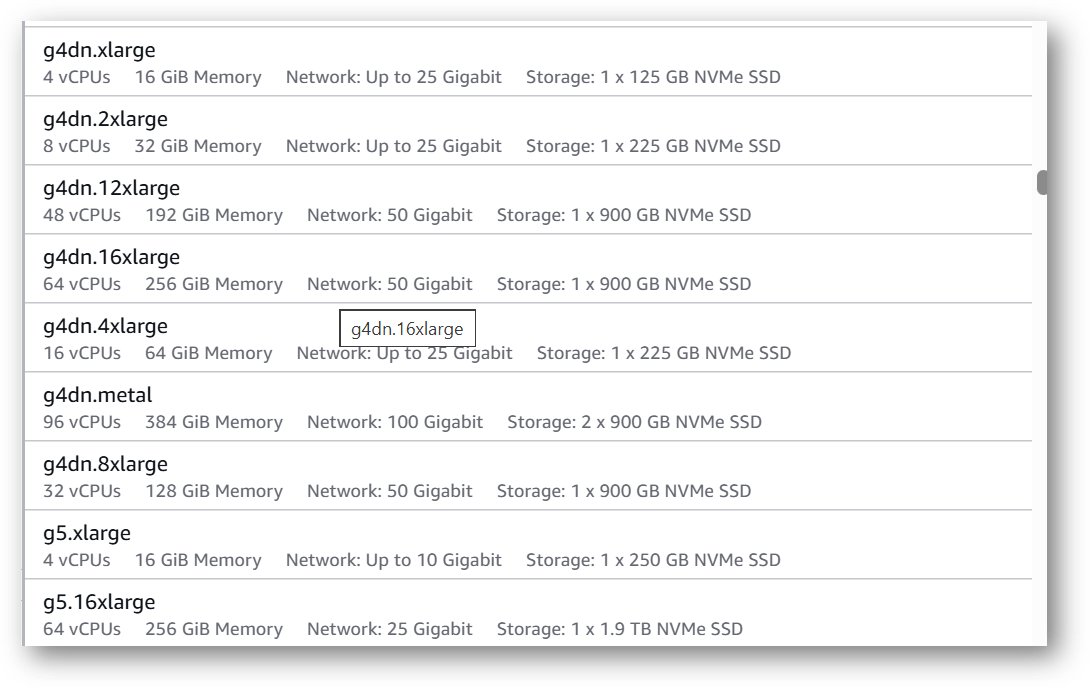
Please note that the VM can also be deployed using NVIDIA GPU instance. If you want to deploy this instance with GPU configuration then Please choose NVIDIA GPU (e.g g4dn.xlarge) or check the available NVIDIA GPU instances on AWS documentation page.
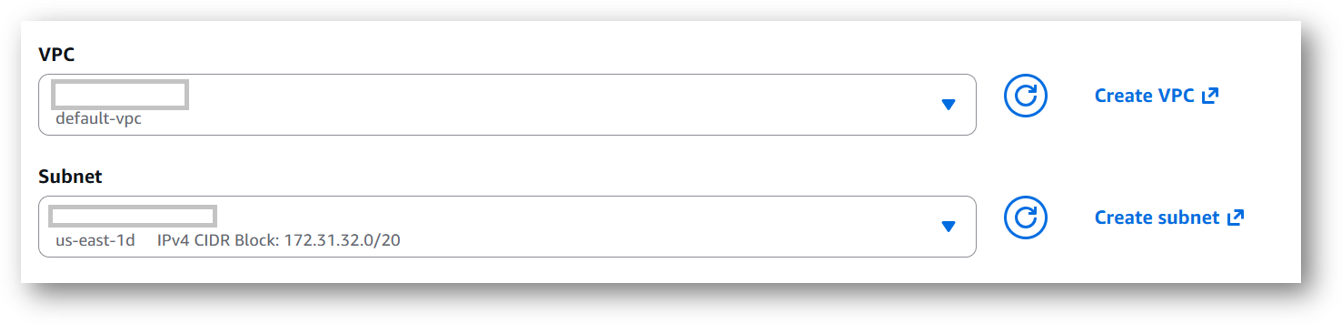
Optionally change the network name and subnetwork names.
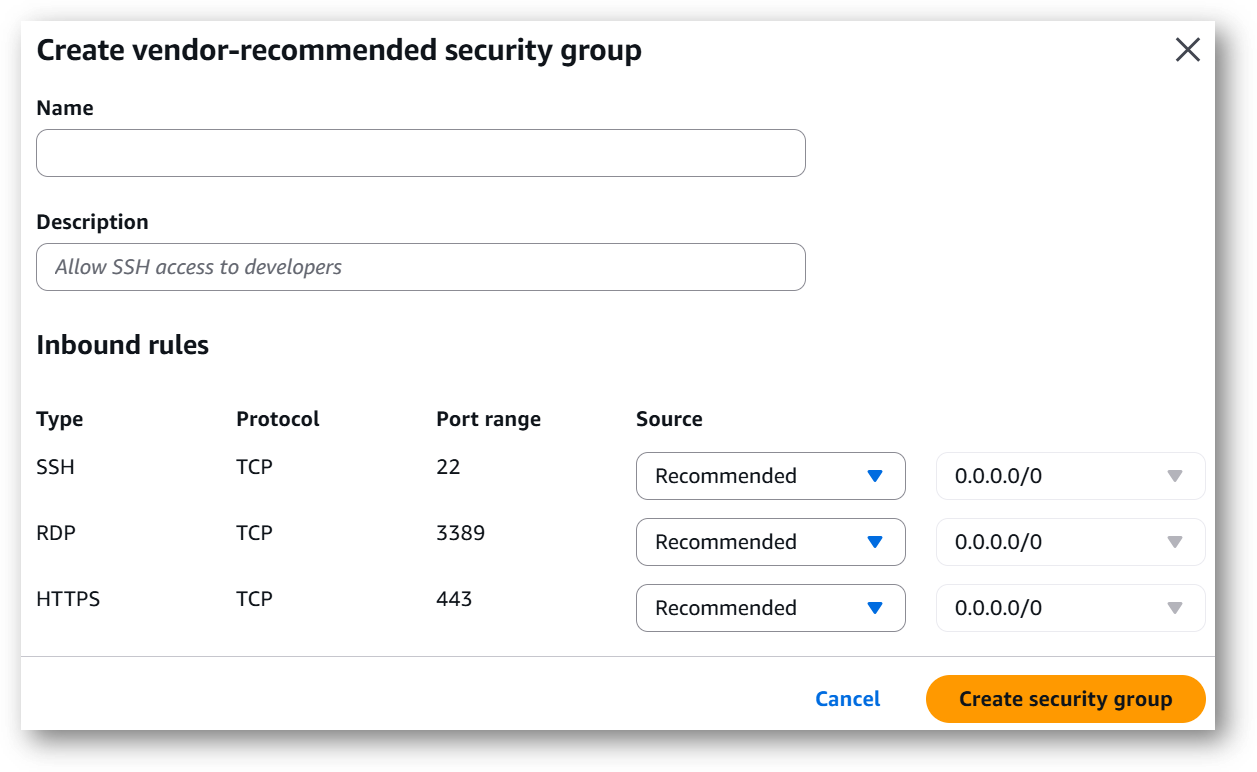
Select the Security Group. Be sure that whichever Security Group you specify have ports 22 (for SSH), 3389 (for RDP) and 443 (for HTTPS) exposed. Or you can create the new SG by clicking on “Create Security Group” button. Provide the name and description and save the SG for this instance.
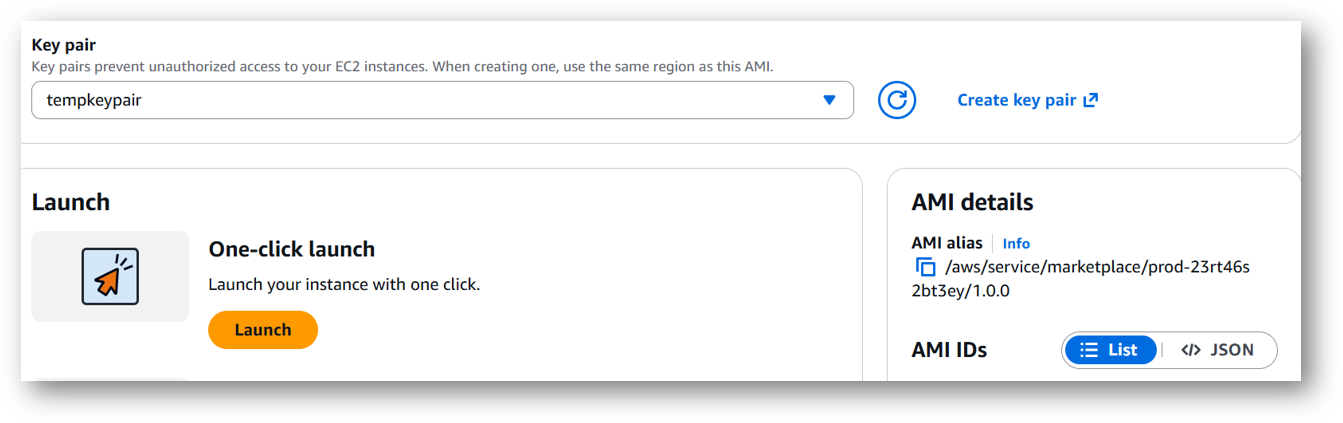
Be sure to download the key-pair which is available by default, or you can create the new key-pair and download it.
Click on Launch..
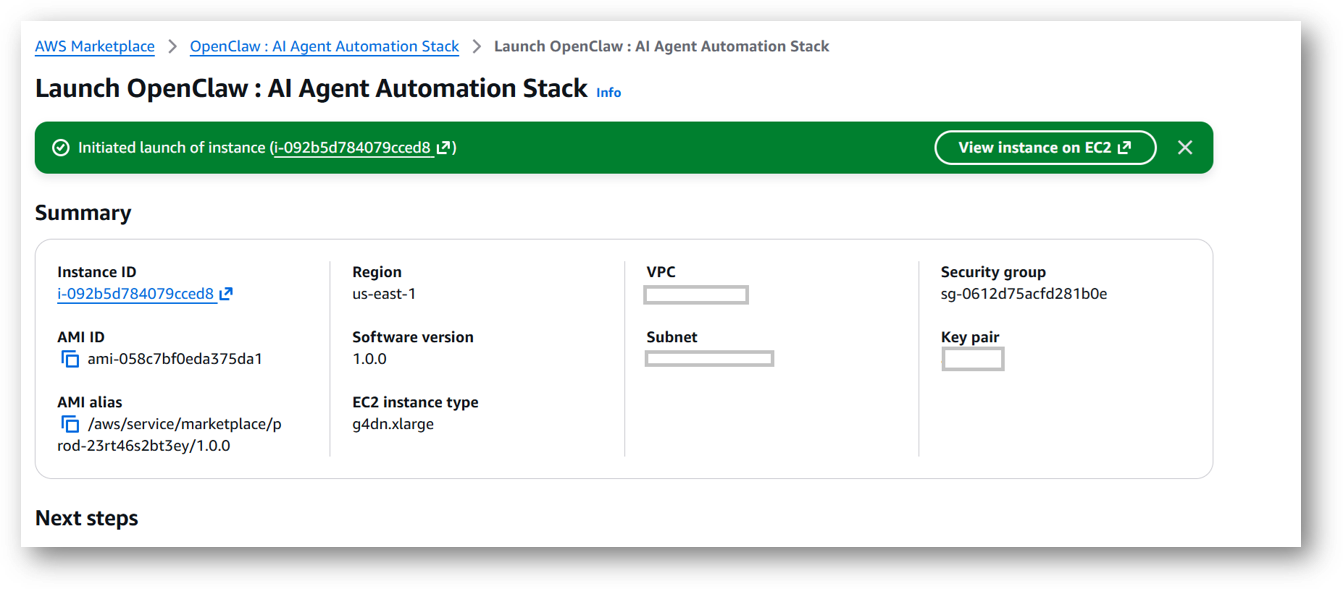
OpenClaw: AI Agent Automation Stack will begin deploying.
A summary page displays. To see this instance on EC2 Console click on View instance on EC2 link.
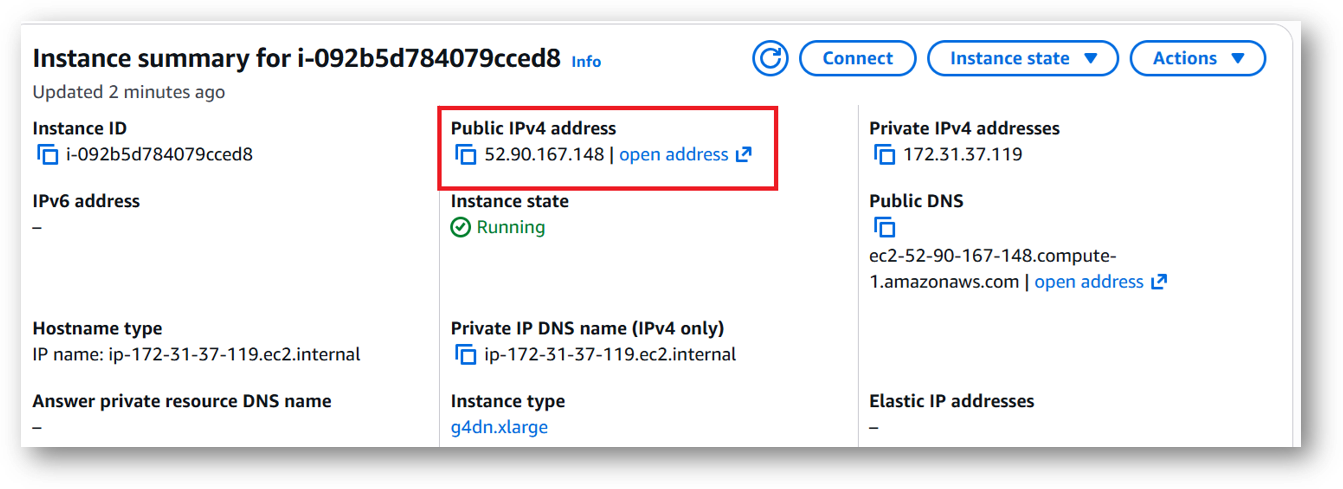
To connect to this instance through putty, copy the IPv4 Public IP Address from the VM’s details page.
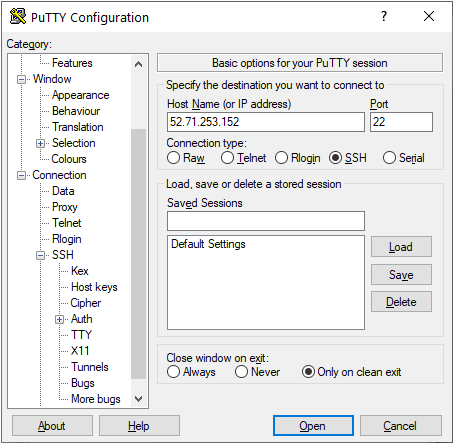
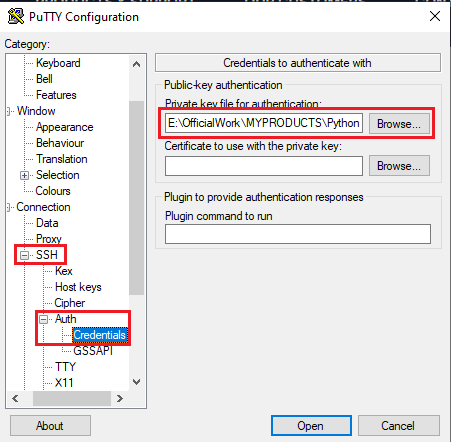
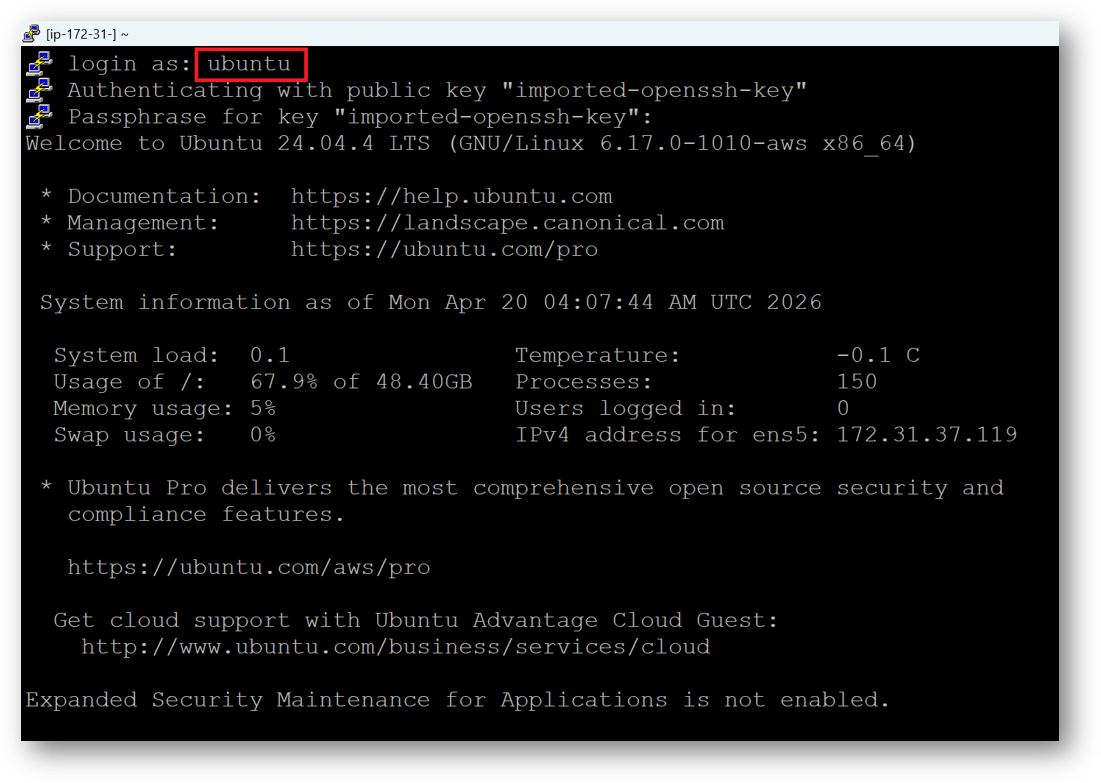
Open putty, paste the IP address and browse your private key you downloaded while deploying the VM, by going to SSH->Auth->Credentials, click on Open. Enter ubuntu as userid
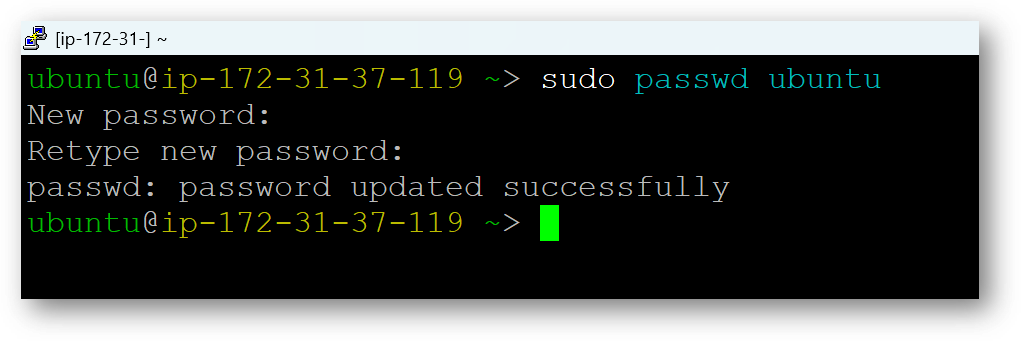
Once connected, change the password for ubuntu user using below command
sudo passwd ubuntu
Now the password for ubuntu user is set, you can connect to the VM’s desktop environment from any local Windows Machine using RDP protocol or Linux Machine using Remmina.
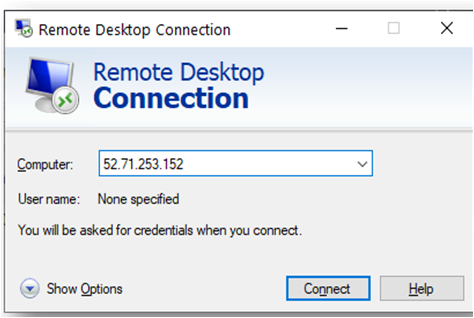
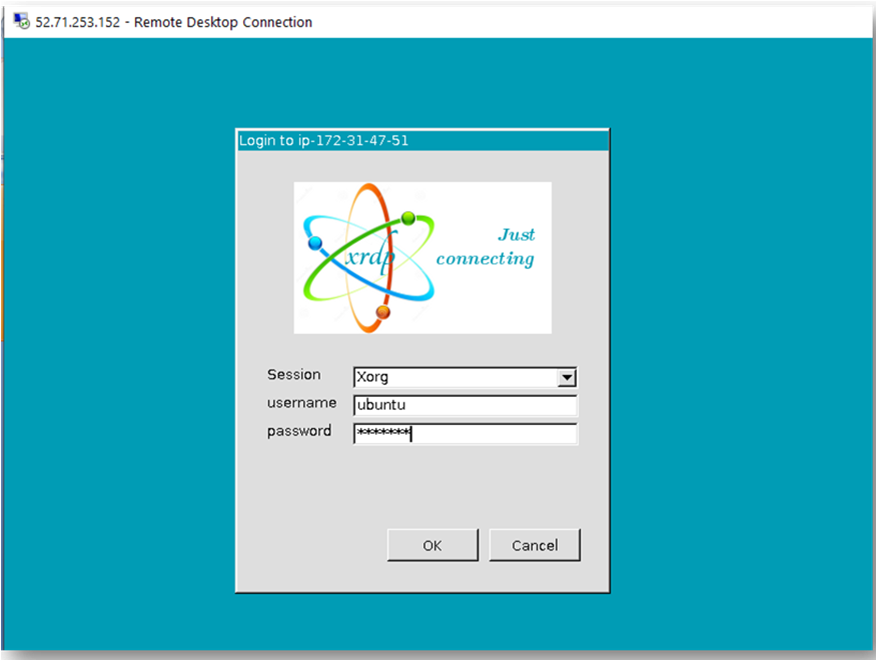
From your local windows machine, goto “start” menu, in the search box type and select “Remote desktop connection”. In the “Remote Desktop connection” wizard, copy the public IP address and click connect
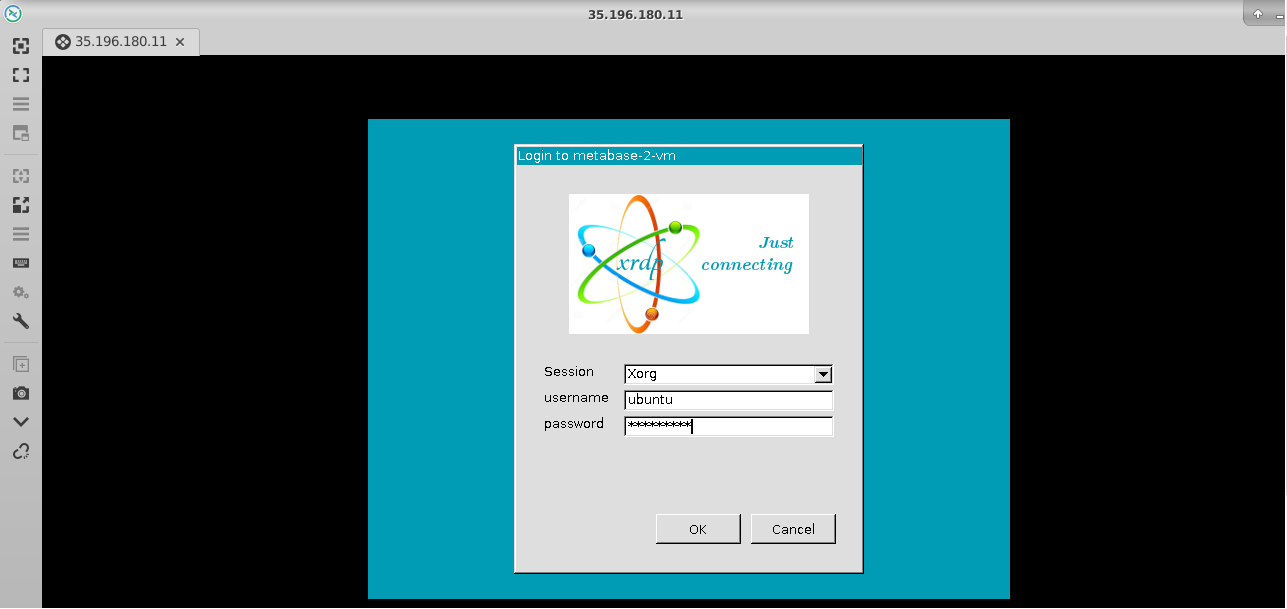
This will connect you to the VM’s desktop environment. Provide the username “ubuntu” and the password set in the above “Reset password” step to authenticate. Click OK
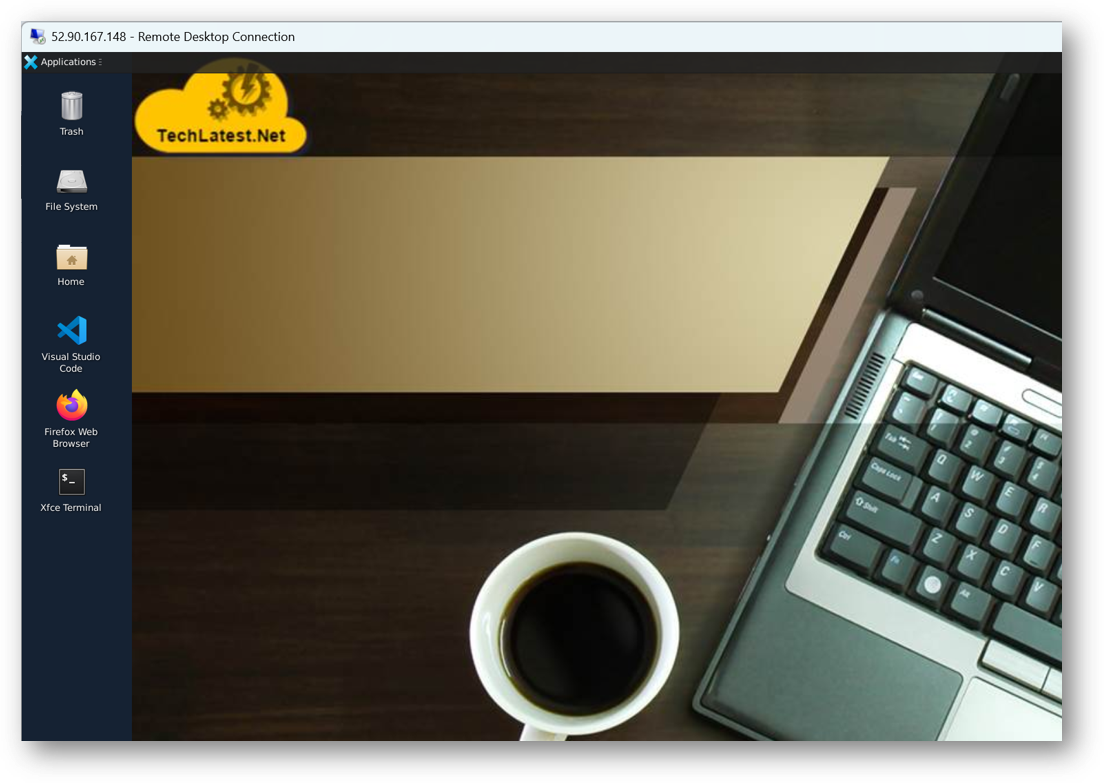
Now you are connected to the out of box OpenClaw: AI Agent Automation Stack VM’s desktop environment via Windows Machine.
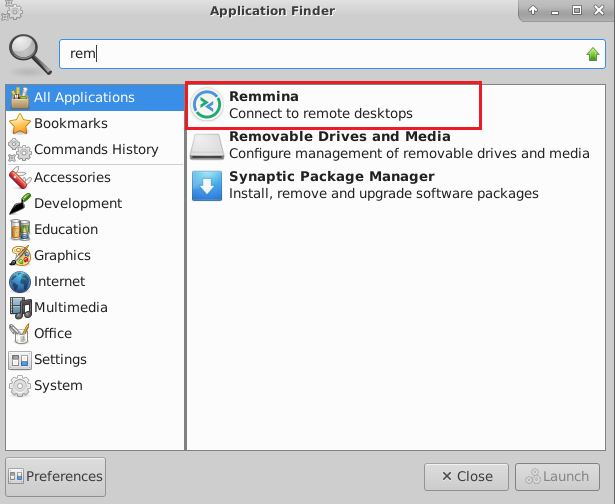
To connect using RDP via Linux machine, first note the external IP of the VM from VM details page, then from your local Linux machine, goto menu, in the search box type and select “Remmina”.
Note: If you don’t have Remmina installed on your Linux machine, first Install Remmina as per your linux distribution.
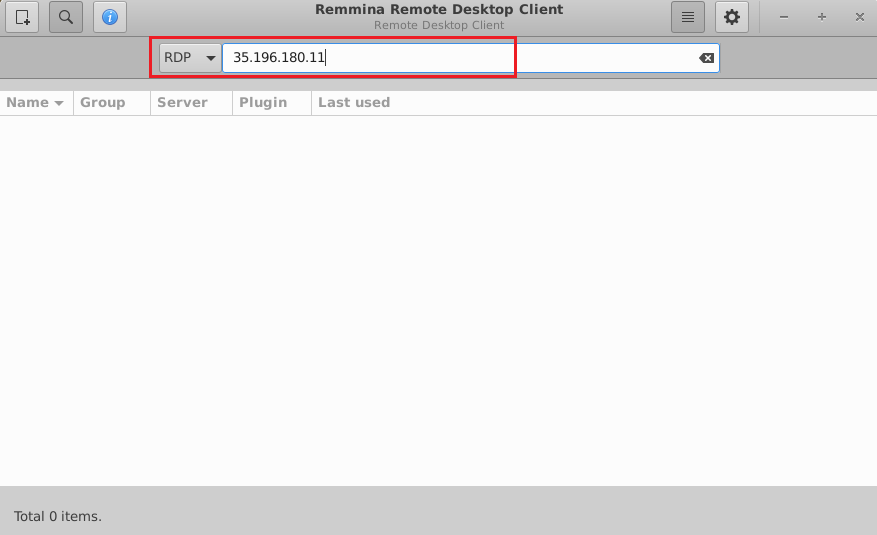
In the “Remmina Remote Desktop Client” wizard, select the RDP option from dropdown and paste the external ip and click enter.
This will connect you to the VM’s desktop environment. Provide “ubuntu” as the userid and the password set in above reset password step to authenticate. Click OK
Now you are connected to out of box OpenClaw: AI Agent Automation Stack VM’s desktop environment via Linux machine.
The VM will generate a random password to login to OpenClaw Web Interface. To get the password, connect via SSH terminal as shown in above steps and run below command.
sudo cat /home/ubuntu/setup/.gateway_pass
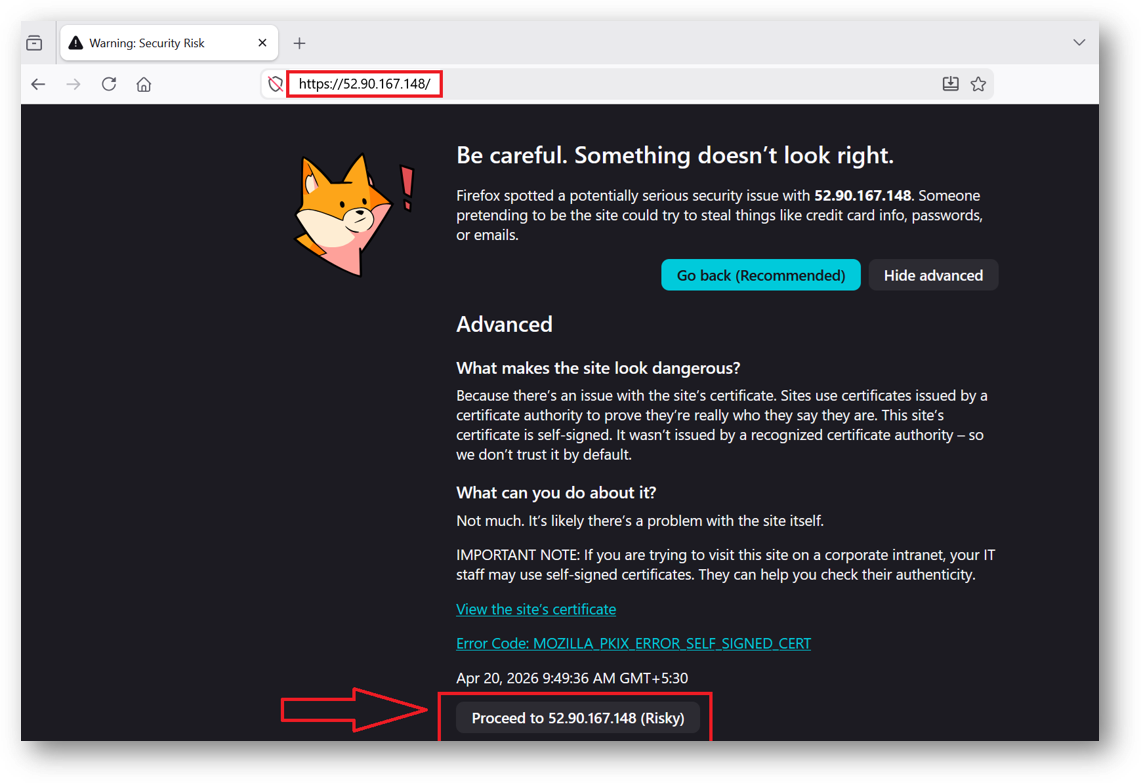
To access the Open Claw Web Interface, copy the public IP address of the VM and paste it in your local browser as https://public_ip_of_vm. Make sure to use https and not http.
Browser will display an SSL certificate warning message. Expand the warning message, accept the certificate warning and Continue.
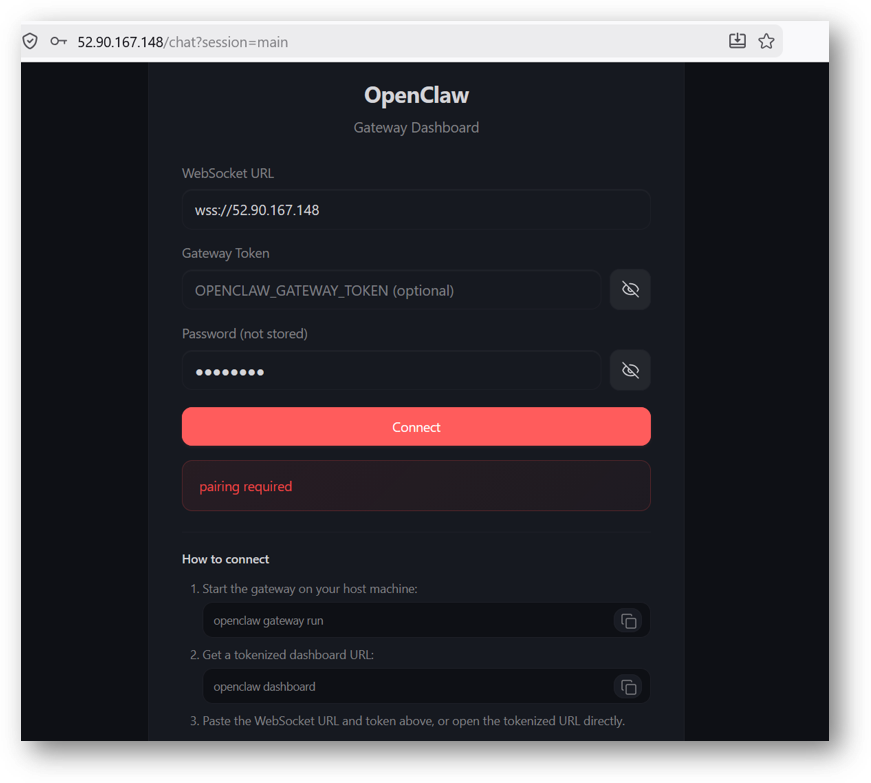
It will open a login page. Provide the password we got at step 14 above and click connect.
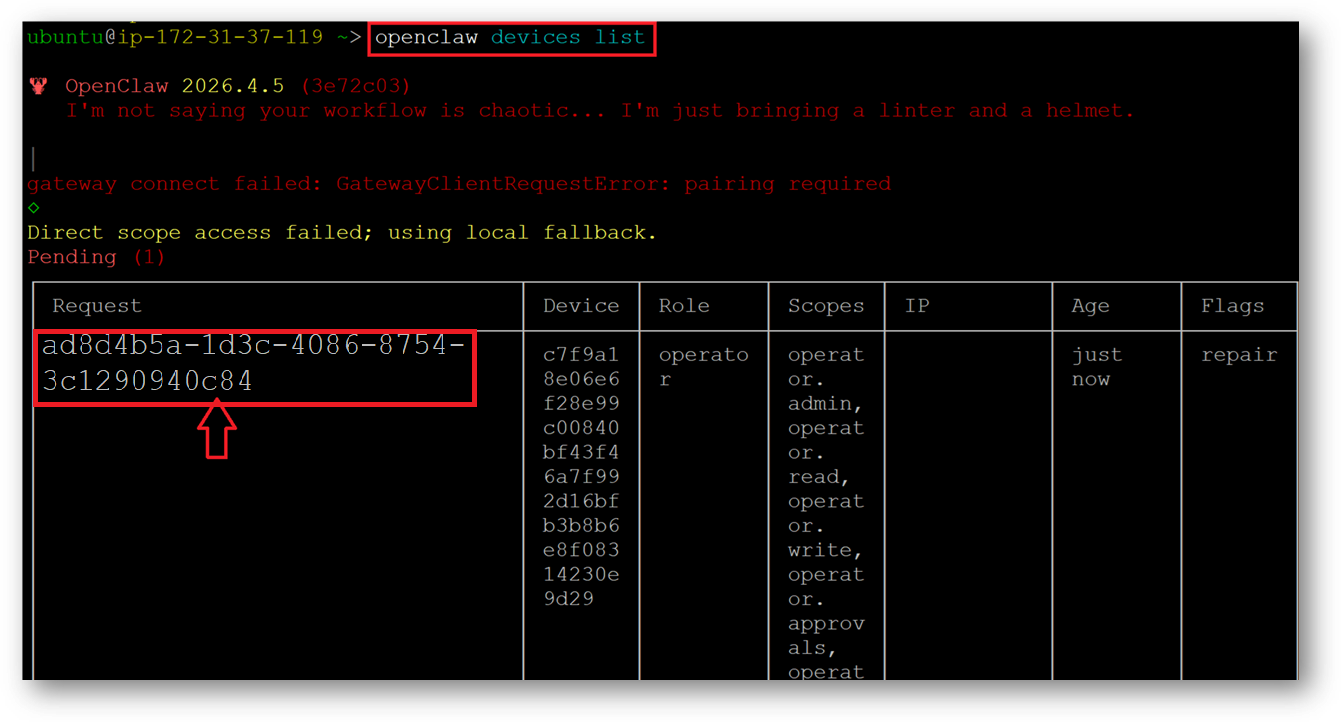
After connect is successful, it will ask you to pair the device. For that go back to SSH terminal and run below command to get the request ID.
openclaw devices list
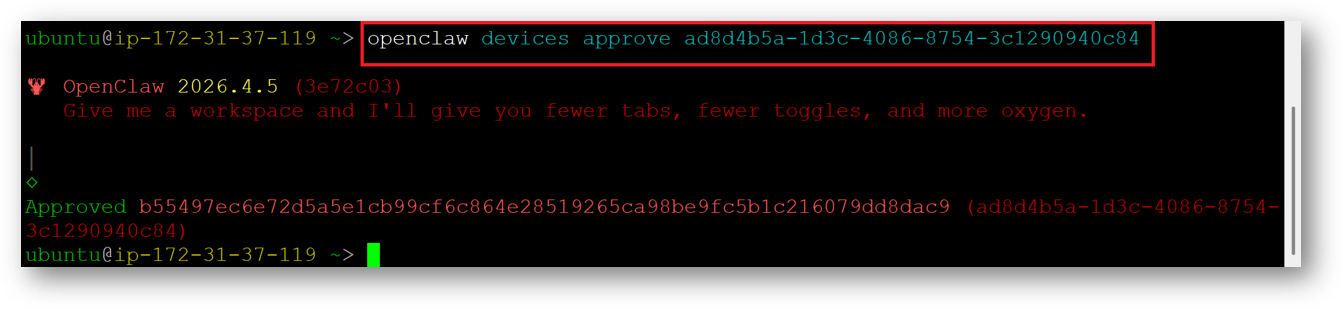
To approve the request, replace the request ID obtained in the previous step in the command below.
Note: Sometimes the request may expire if there is a delay in approving it. If the request gets rejected, simply rerun the “openclaw devices list” command to obtain a new request ID, and then run the approve command using that ID. Also Each browser profile generates a unique device ID, so switching browsers or clearing browser data will require re-pairing. And lastly if your VMs IP address is dynamic which changes on VM reboot then also you need to repair your device.
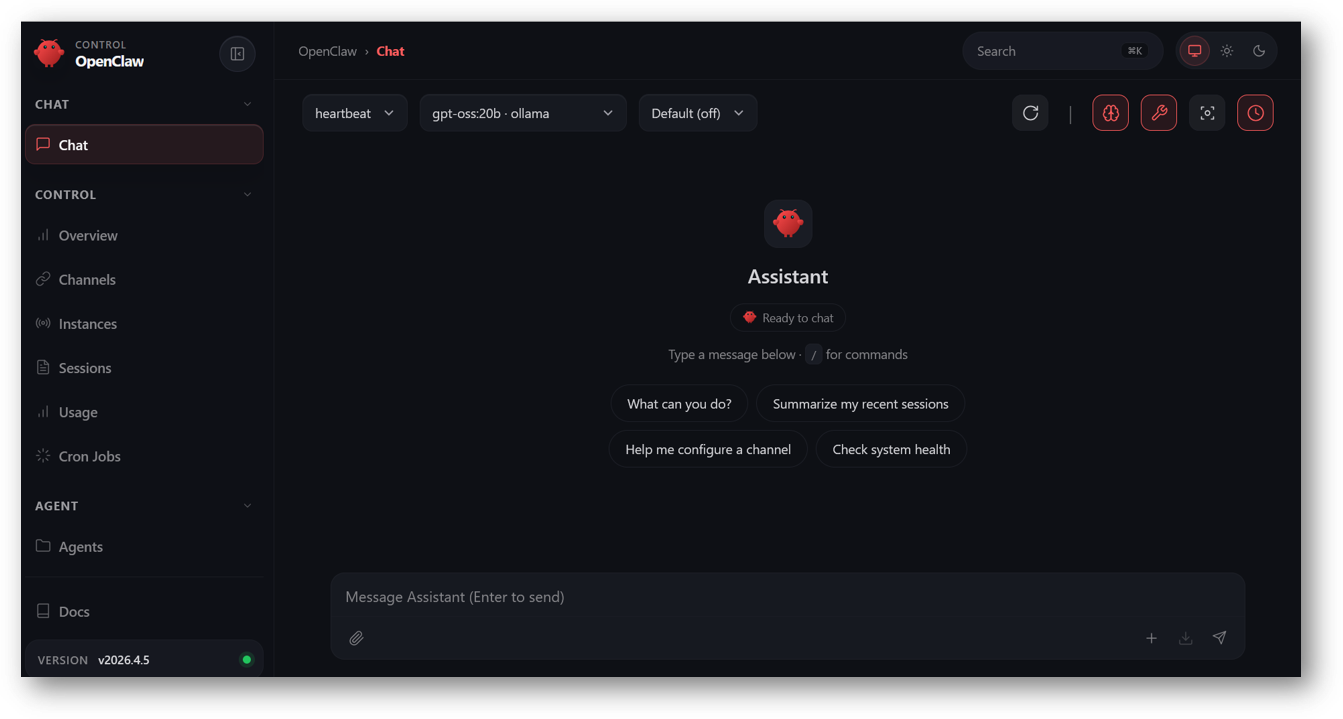
Now you are logged in to OpenClaw Web Interface. You can setup your Agent, configure various channels and start the automation.
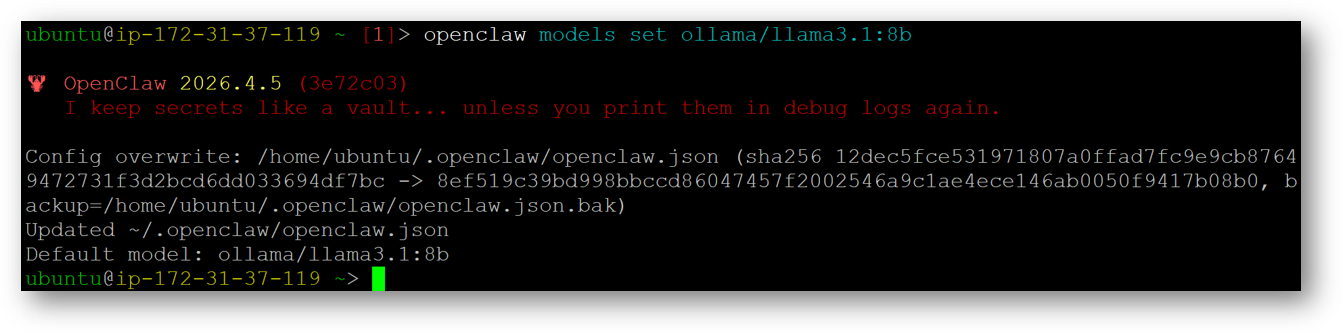
By default the LLM model set is “qwen2.5:8b”. You can pull other ollama models and switch them to primary models by running below commands.
ollama pull <modelname>
e.g ollama pull llama3.1:8b
openclaw models set ollama/llama3.1:8b
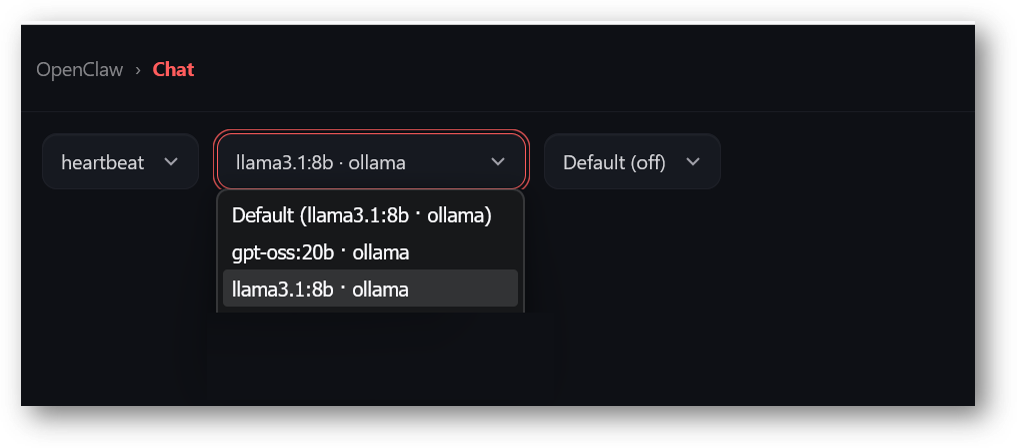
Once the model is switched, go back to Web Interface, refresh the page and select the new model from the model dropdown. Once model is loaded successfully , you can run your queries